> For the complete documentation index, see [llms.txt](https://docs.kawa.ai/llms.txt). Markdown versions of documentation pages are available by appending `.md` to page URLs; this page is available as [Markdown](https://docs.kawa.ai/12_00_release_notes/backend/12_02_release_note_1.33.md).
# Release note - KAWA 1.33
**Release date:** 3 February 2026
## 1. New Features
### 1.1 Workflows — design, schedule, and run multi‑step automations
> You can read more about this in the [The Workflows section](https://docs.kawa.ai/07_00_workflows.md).
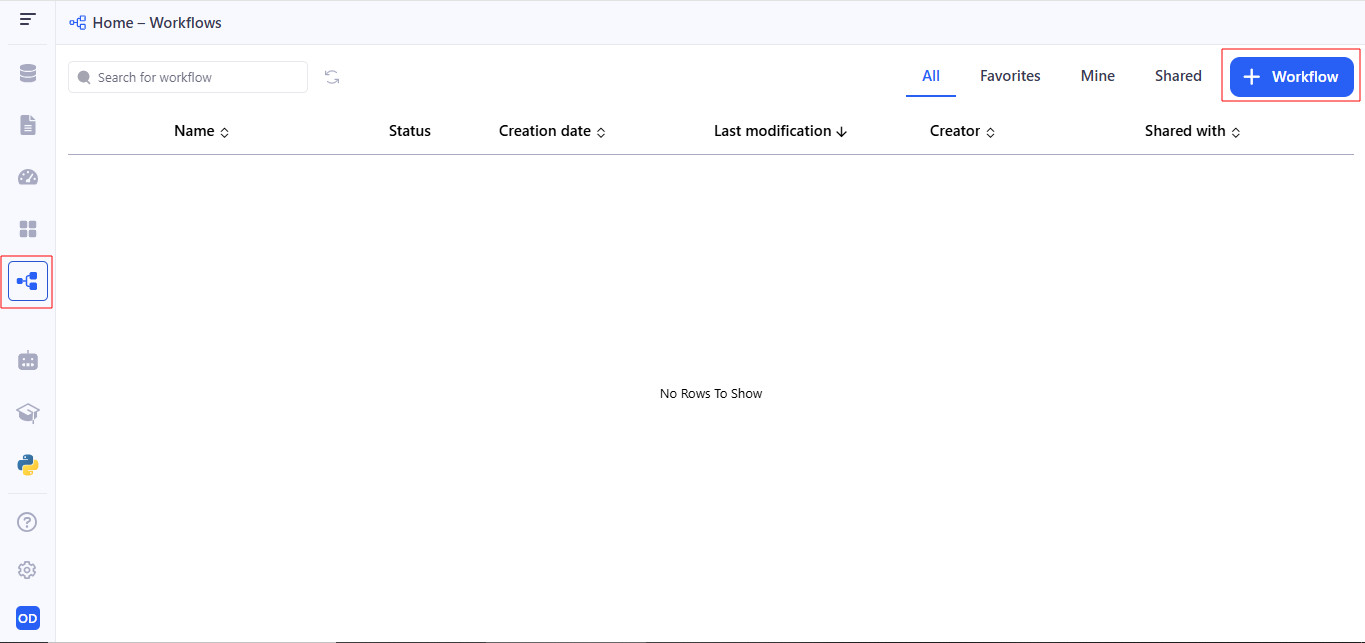
* Set it up in **Home** → **Workflows** (click **+ Workflow**).
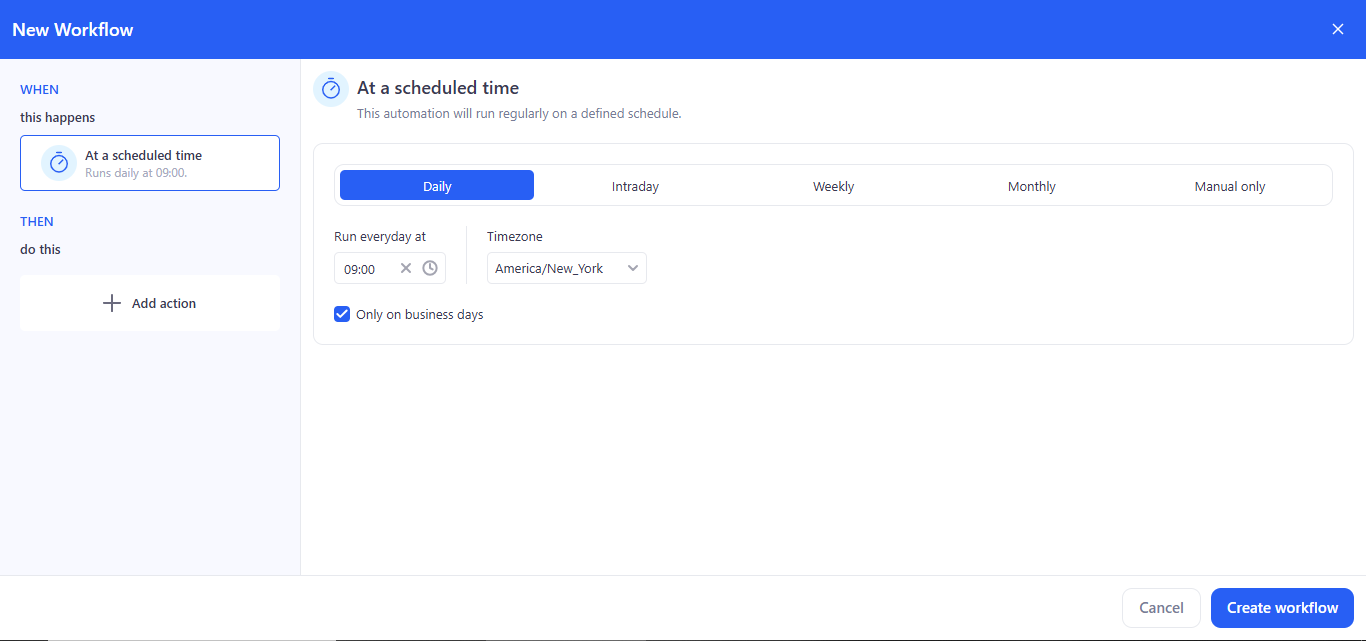
* Trigger types (**WHEN**): Daily / Intraday / Weekly / Monthly / Manual only + Timezone and Only on business days.
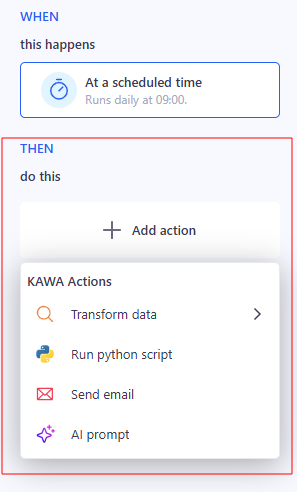
* Actions (**THEN**): Transform data (Sheets), Run python script (from the library), Send email, AI prompt.
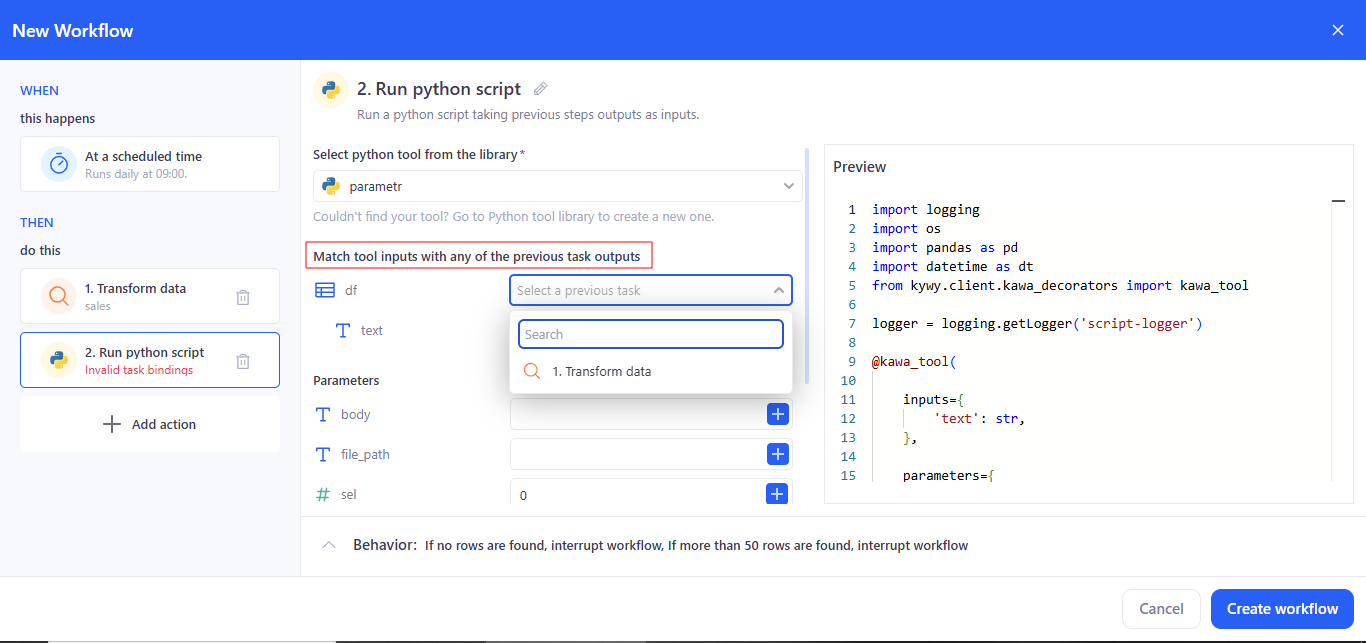
* **Bindings** link fields from the current step to outputs from previous steps, passing data between actions in a workflow.
* **Save & Update**: Click **Create workflow** to save a new workflow; after any edits, click **Update workflow**.
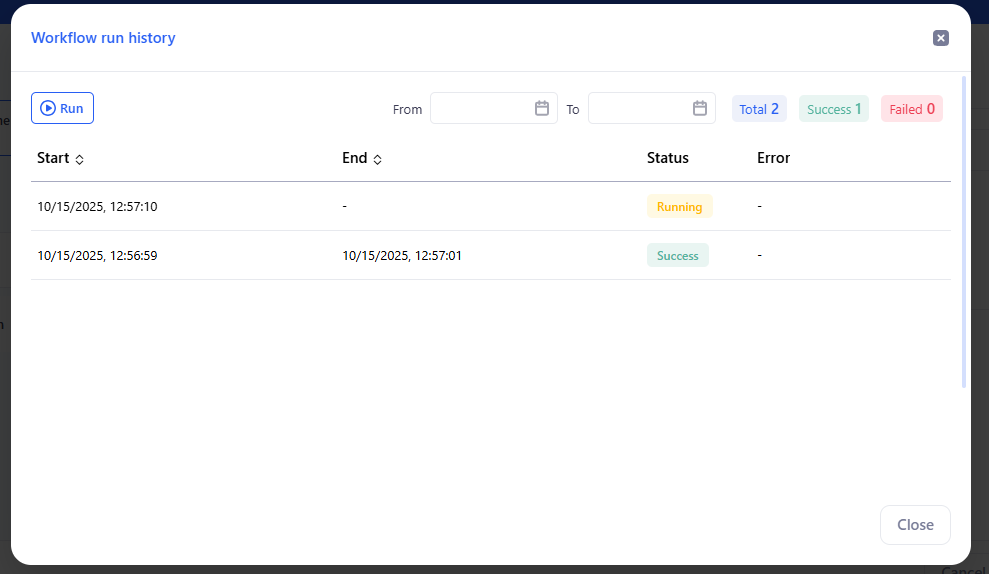
* **Run & monitor**: open **Run history** (top‑right) → Run for ad‑hoc execution; review Start / End / Status / Error with counters (Total / Success / Failed) and date filters.
**Workflows** make it easier than ever to turn your data into action—automate routine tasks, deliver consistent email/AI outputs, and stay safe with built‑in guardrails and run history.
### 1.2 Doc — a free-length document page that combines text and interactive widgets.
> You can read more about this in the [The Reports section](https://docs.kawa.ai/pages/bInymCODQr52n2UD9ouA#id-4.-doc).
* Set it up in **Home** → **+ Report** → **Doc** (next to Dashboard and Slides).
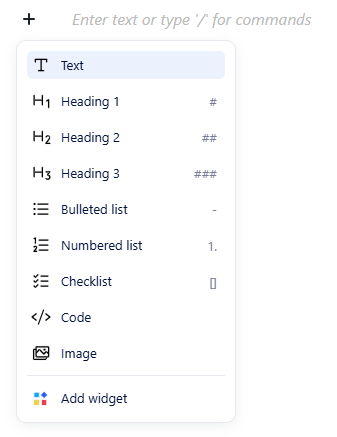
* Quick **block** insert via + or /: Text, H1–H3, Bulleted/Numbered list, Checklist, Сode, Image, Add widget.
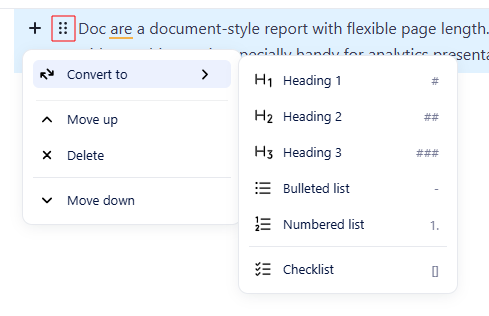
* **Block handle** (six dots) with context menu: Convert to, Move up/Move down, Delete.
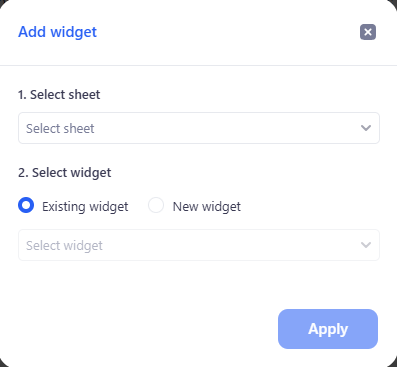
* **Add widget** in a Doc: choose a Sheet → Existing or New widget (chart, grid, pivot).
* **Filters & exploration**: work the same as in dashboards (Control panel, Exploration mode).
* **Widget actions** (Refresh, Summary, Edit, Full screen, Rename, Disable/Enable all filters, Duplicate, Synchronize, Go to sheet, Delete) — identical to Dashboard.
**Doc** turns insights into stories—write your narrative, drop in live widgets, and share a single scrollable page that stays in sync with your data.
### 1.3 Synchronize widgets for all types of Reports
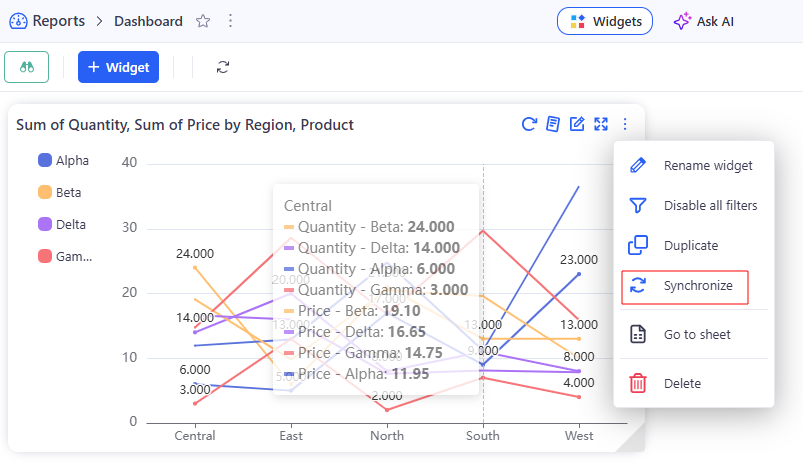
All types of Reports will have a new **Synchronize** option; it pulls the latest configuration and schema from the linked Sheet/View so the widget reflects recent changes while keeping its size and position.
### 1.4 Exploration mode for all types of Reports
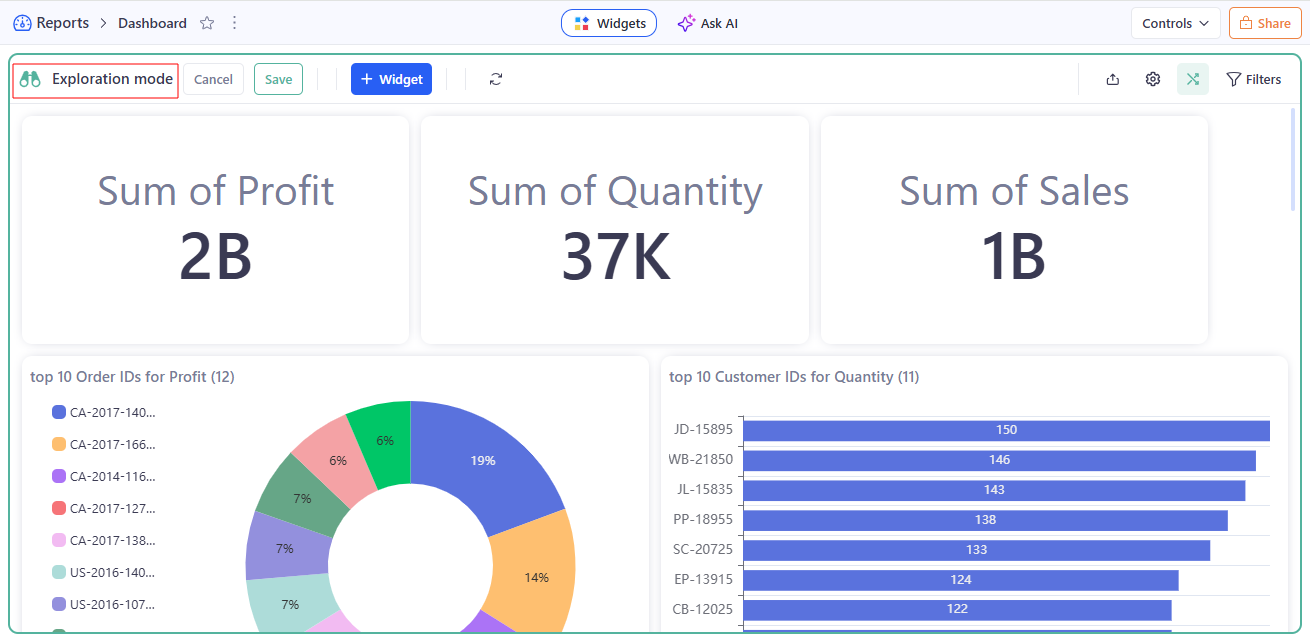
All types of Reports have a new Exploration mode (via the Explore binoculars) to quickly adjust how a widget shows data and changes affect only this widget.
### 1.5 AI Chat — New section type: Code (streaming)
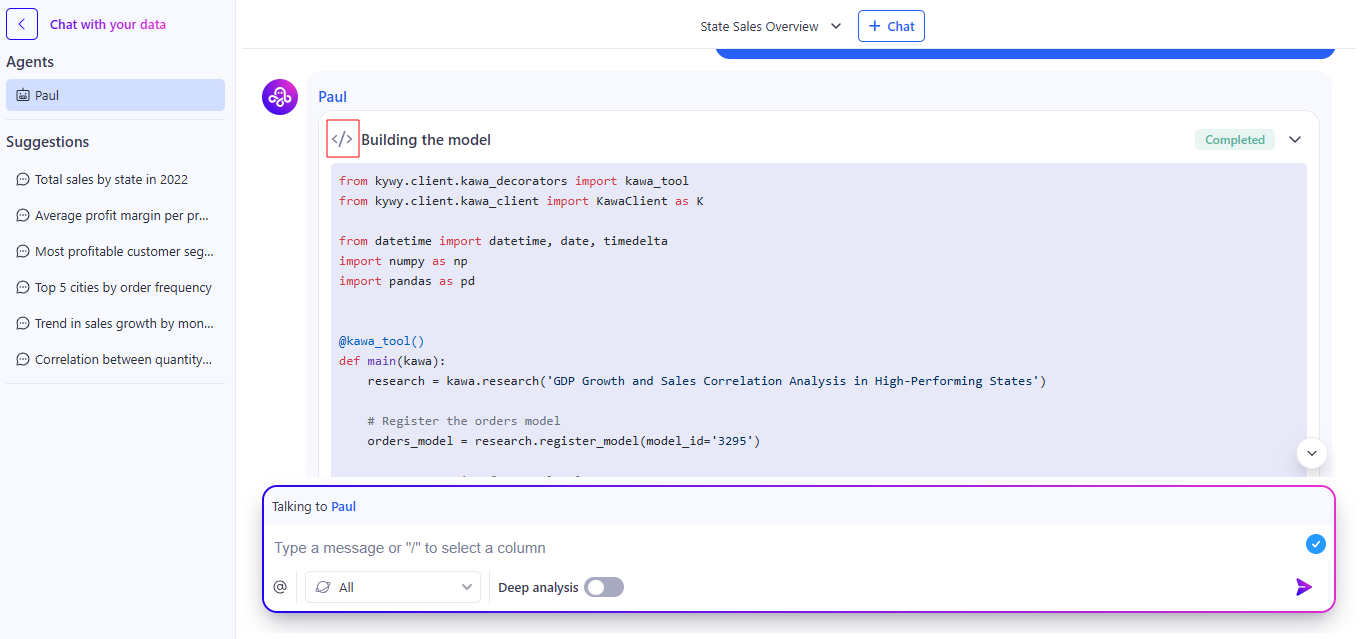
AI Chat now includes a new Code section that streams code in real time via Server-Sent Events with a pending loader, using the same UI as Analysis.
### 1.6 Create with AI in Reports
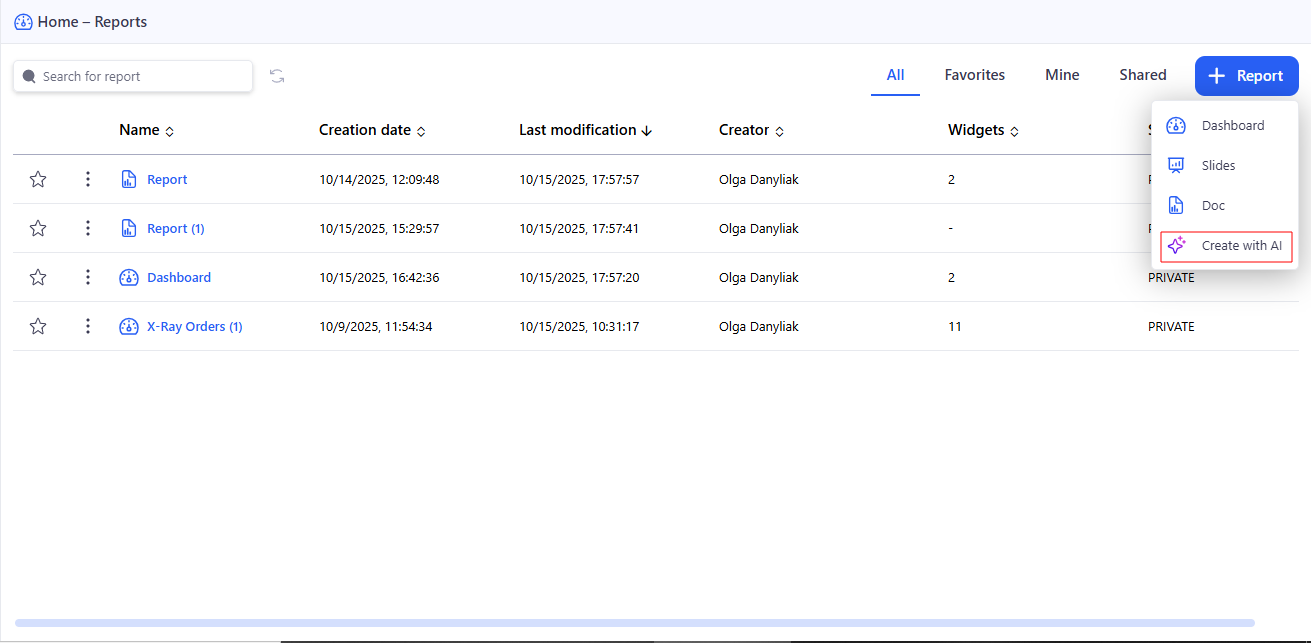
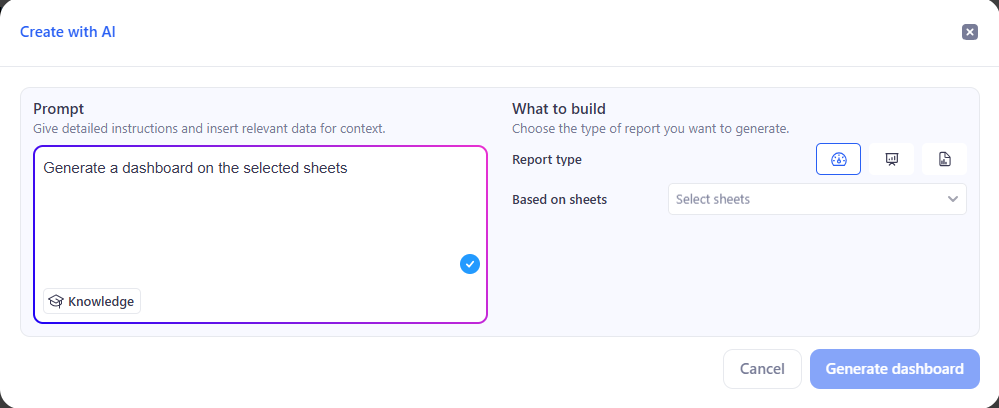
A new Create with AI option in the + Report menus opens a prompt-based modal to generate a Dashboard/Slides/Docs, with multi-select Sheets and Knowledge, and returns the created object.
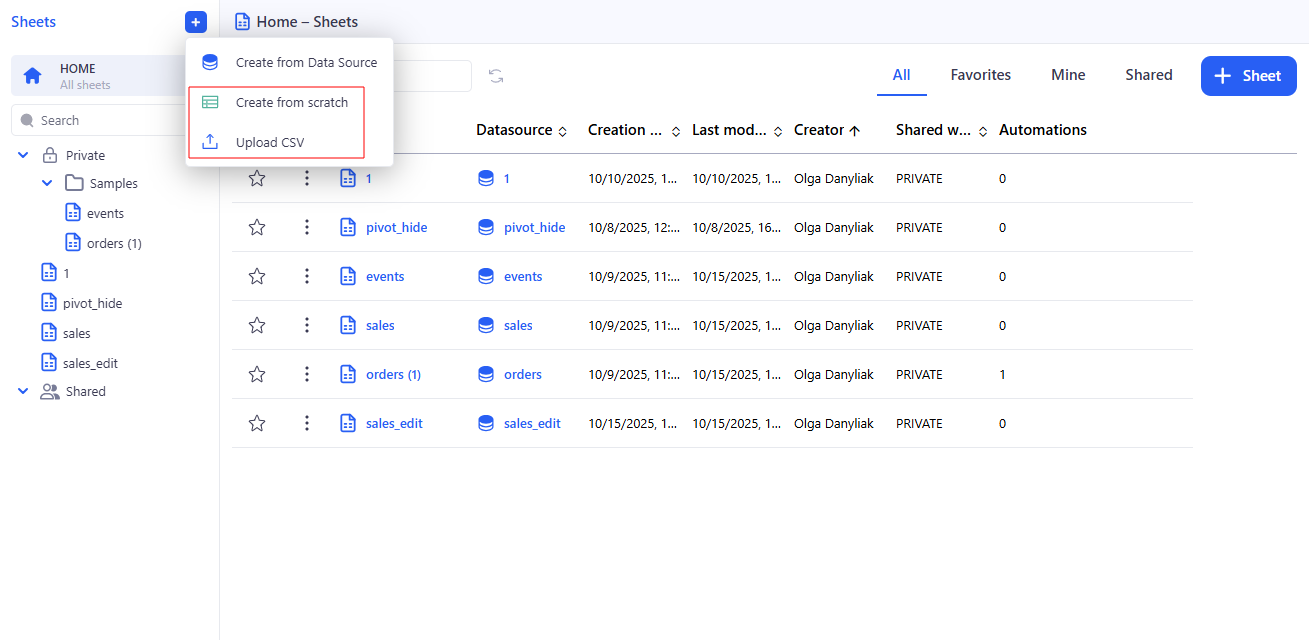
### 1.7 New sheet creation options in Sheets
The Create sheet menu is expanded: alongside the existing From Data Source option, there are now two new choices — From CSV, which uploads a CSV, initializes a new “from-scratch” dataset with that CSV, auto-creates a sheet, and redirects you to the sheet’s default grid; and From Scratch, which does the same creation and redirect but without a CSV upload.
### 1.8 Advanced pasting in Edit Sheet
Users editing sheets now have Advanced pasting: a single value fills the selection, N vertical values repeat across it, and any N×M block tiles to cover the range (Google Sheets–style).
### 1.9 Documentation page for Sheets & Data Sources
Introduced a new **Documentation** tab on **Sheets** and **Data Sources** that opens an auto-published report for documenting the dataset.

* **Who can edit**: only users with WRITE access to the sheet/data source.
* **Auto-publish**: edits are saved immediately.
* **Creation flow**: the page is created on first open, linked to the corresponding sheetId or dataSourceId.
* **Visibility**: these docs do not appear in Dashboards.
## 2. Improvements & Bugs fixes
### 2.1 Data sources
* Improved the Feed Type: Being able to give a name to snapshot ETL runs
### 2.2 Sheets
* View settings: hiding the name of the aggregation in the grid
### 2.3 Pivot table & charts
* Added a new Reset every parameter for Show data as: Cumulated.
When the user selects a column of type DATE or DATETIME, a new option appears (default: NEVER; options: YEAR / SEMESTER / QUARTER / MONTH / WEEK, and for datetime also DAY). It resets the running total at the start of the selected period.
* View settings: hiding the empty fields in the pivot table
* Added duplicate formula in pivot and chart
* Improved the Export pivot
* Improved copying for Pivot
### 2.4 Reports
* Improved the full screen widget
### 2.5 Other
* Upgraded Date and Date time filters
* New format in number formatting